














AirPods Firmware Issue? What You Need to Know

Firmware updates are meant to improve performance, but sometimes they can introduce unexpected issues. Recently, some users have reported problems after updating their AirPods firmware.
This guide explains what the issue is, how it affects your AirPods, and what you can do about it.
What Is the Firmware Issue?
A firmware issue occurs when a software update causes:
- Connection problems
- Sound imbalance
- Random disconnections
- Charging inconsistencies
These issues may not affect all users but can impact overall performance.
Common Problems After Firmware Update
Some users experience:
- AirPods not connecting properly
- One AirPod not working
- Audio lag or glitches
- Battery draining faster than usual
These problems usually appear after a recent firmware update.

How to Check Your AirPods Firmware
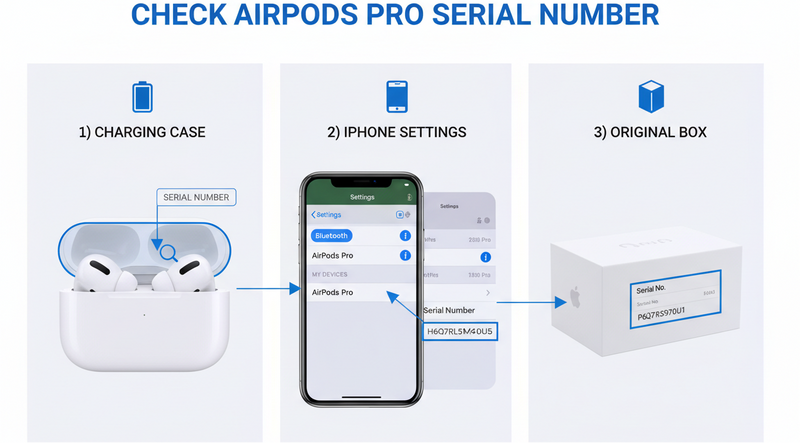
To check your firmware version:
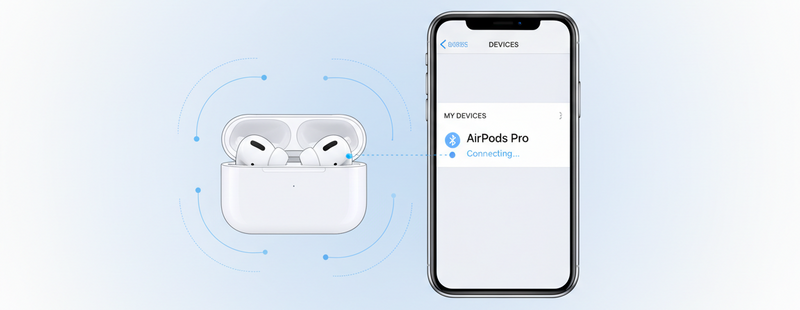
- Connect your AirPods to your iPhone
- Go to Settings
- Tap Bluetooth
- Select your AirPods
- View the Firmware Version
This helps confirm if the issue started after an update.
Can You Fix Firmware Issues?
Unlike apps, AirPods firmware cannot be manually downgraded. However, you can try these fixes:
- Reset your AirPods
- Reconnect them to your device
- Keep them connected to your iPhone while charging (to auto-update)
These steps can sometimes resolve minor firmware-related glitches.

When the Issue Persists
If problems continue even after trying fixes, it could mean:
- Firmware bug not yet resolved
- Hardware issues triggered after update
- Compatibility issues with your device
In such cases, waiting for a new update or considering replacement might be necessary.
When to Consider Replacement
If your AirPods are consistently malfunctioning, you may need to replace:
- A single AirPod
- The charging case
- The full set
Conclusion
Firmware updates usually improve AirPods performance, but occasional issues can occur. Most problems can be fixed with simple troubleshooting steps like resetting or reconnecting.
If the issue persists, staying updated or replacing the faulty part is the best solution.
Facing issues after an AirPods update?
Explore genuine replacement AirPods and accessories at Swapex.
FAQs
What is an AirPods firmware issue?
It’s a problem caused by a software update affecting performance or connectivity.
Can I downgrade AirPods firmware?
No, Apple does not allow manual firmware downgrades.
How do I fix firmware issues?
Try resetting, reconnecting, and updating your AirPods.
Why are my AirPods acting weird after an update?
It could be due to a firmware bug or compatibility issue.
When should I replace my AirPods?
If problems persist after troubleshooting, replacement may be needed.