

Dirty AirPods? Clean Them Safely in Minutes

Dirty AirPods? Clean Them Safely in Minutes
AirPods easily collect earwax, dust, and dirt, especially with regular use. This buildup can affect sound quality, volume, and hygiene.
The good news is that you can clean your AirPods safely at home with the right method.
This guide explains how to clean your AirPods properly without damaging them.
Why Cleaning Your AirPods Is Important
Dirty AirPods can cause:
- Lower or muffled sound
- Uneven audio between earbuds
- Hygiene issues and discomfort
Regular cleaning helps maintain both performance and durability.
What You Need for Cleaning
Before you start, keep these items ready:
- Soft dry cloth
- Cotton swab
- Soft brush (like a toothbrush)
- Avoid using water or harsh chemicals.

How to Clean AirPods (Step-by-Step)
Follow these steps:
- Wipe the outer surface with a soft dry cloth
- Use a cotton swab to clean edges
- Gently brush the speaker mesh to remove dirt
- Do not push dirt inside the mesh
Be gentle to avoid damaging the internal components.

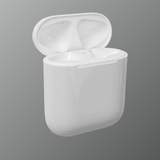
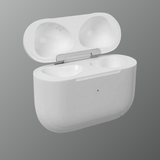
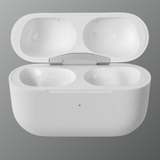
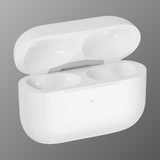
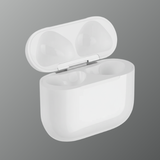
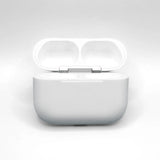
How to Clean the Charging Case
The charging case also collects dirt and affects charging.
Steps:
- Clean inside the case with a dry cotton swab
- Gently wipe charging contacts
- Remove dust from the lid and edges
This ensures proper charging for both AirPods.
What to Avoid While Cleaning
Avoid these mistakes:
- Do not use water or liquid cleaners
- Do not use sharp objects
- Do not soak AirPods
Improper cleaning can permanently damage them.
How Often Should You Clean AirPods?
It’s recommended to clean your AirPods:
- Light cleaning: once a week
- Deep cleaning: once every 2–3 weeks
Regular maintenance keeps them working smoothly.
When Cleaning Is Not Enough
If your AirPods still have issues after cleaning, it could be due to:
- Internal damage
- Long-term dirt buildup
- Battery wear
In such cases, replacement may be a better option.
Conclusion
Cleaning your AirPods regularly helps maintain sound quality and hygiene. With simple tools and careful steps, you can keep them in great condition.
If cleaning doesn’t solve the problem, replacing the faulty part can restore performance.
Keep your AirPods performing like new.
Explore genuine replacement AirPods and accessories at Swapex.
FAQs
How do I clean my AirPods safely?
Use a soft cloth, cotton swab, and brush to gently remove dirt.
Can I use water to clean AirPods?
No, avoid liquids as they can damage internal components.
Why do my AirPods sound muffled?
Dirt or earwax buildup in the speaker mesh can block sound.
How often should I clean my AirPods?
Clean lightly every week and deeply every few weeks.
When should I replace my AirPods?
If cleaning doesn’t fix issues, replacement may be needed.