7 Simple Tips to Make Your Earbuds Battery Last Longer
Wireless earbuds like AirPods are designed for convenience, but their small size means the battery capacity is limited. Many users notice that their earbuds drain quickly after frequent use.
The good news is that a few simple habits can help extend your earbuds battery life and maintain long-term battery health.
Here are practical tips to help your wireless earbuds last longer on every charge.
Keep Your Phone Close to the Earbuds
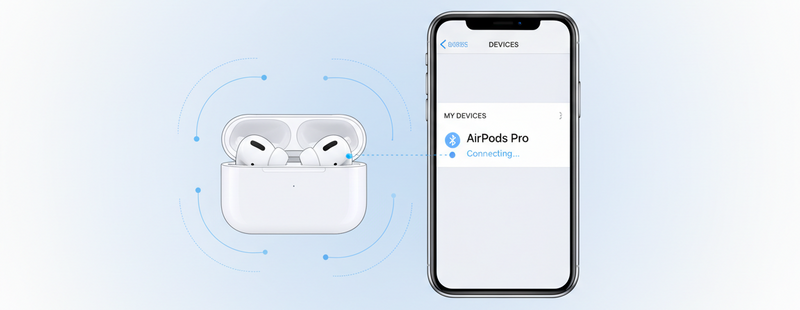
Wireless earbuds rely on Bluetooth connectivity to stay connected to your phone or device. When the device is far away, the earbuds work harder to maintain the signal.
Keeping your phone nearby helps reduce battery consumption and improves connection stability.
This is especially useful when listening to music while moving around the house or office.

Lower the Listening Volume
Listening to music at very high volume levels requires more power from the earbuds.
Reducing the volume slightly can help extend battery life while also protecting your hearing.
Most earbuds deliver good audio quality even at moderate volume levels.
Turn Off Noise Cancellation When Not Needed
Features like Active Noise Cancellation (ANC) use microphones and processing power to block external sounds.
While this feature improves listening in noisy environments, it also consumes extra battery.
Turning off noise cancellation when you are in a quiet place can help your earbuds last longer.

Disable Features You Don’t Use
Many modern earbuds include advanced features that continuously run in the background.
These may include:
- Voice assistant activation
- Spatial audio
- Transparency mode
- Automatic ear detection
Turning off unused features can help reduce battery consumption and improve listening time.
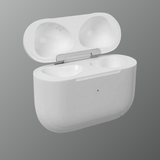
Store Earbuds in the Charging Case
Always place your earbuds back into the charging case when not in use.
The charging case protects the earbuds and also ensures they stay charged for the next use.
Leaving earbuds outside the case can allow them to remain connected to devices, which slowly drains battery power.

Avoid Extreme Temperatures
Extreme heat or cold can affect the performance of lithium-ion batteries used in wireless earbuds.
To maintain battery health:
- Avoid leaving earbuds in hot cars
- Avoid exposing them to very cold temperatures
- Store them at normal room temperature
Maintaining proper temperature conditions helps improve battery longevity.
Keep Your Earbuds Updated
Manufacturers often release firmware updates that improve battery efficiency and performance.
Keeping your earbuds connected to your phone regularly allows automatic firmware updates to install when available.
Conclusion
Wireless earbuds provide great convenience, but their battery life depends heavily on how they are used and maintained.
By keeping devices nearby, lowering volume levels, disabling unnecessary features, and storing earbuds properly, you can significantly improve battery performance and extend their lifespan.
Small habits can make a big difference in ensuring your earbuds stay reliable for everyday listening.
Looking for genuine Apple AirPods or replacements?

Explore trusted Apple products at Swapex.
FAQs
Why does my earbuds battery drain quickly?
High volume, long Bluetooth distance, and active features like noise cancellation can increase battery usage.
Does noise cancellation reduce battery life?
Yes. Active Noise Cancellation requires additional processing and can reduce listening time.
Is it safe to charge earbuds overnight?
Most modern earbuds have protection systems, but frequent overnight charging may slowly affect long-term battery health.
Should I always keep earbuds in the charging case?
Yes. Keeping them in the case helps maintain charge and prevents unnecessary battery drain.
How long do wireless earbuds batteries last?
Most earbuds batteries last between 2–3 years depending on usage and charging habits.