
















Only One AirPod Connecting? Here’s How to Fix It

Only One AirPod Connecting? Here’s How to Fix It
If only one of your AirPods connects while the other doesn’t, it can be frustrating. This issue is quite common and is usually caused by battery imbalance, connection glitches, or pairing issues.
The good news is that in most cases, you can fix it with a few simple steps.
This guide explains why only one AirPod connects and how to fix it quickly.
Check Battery Levels First
One of the most common reasons is that one AirPod has low or no battery.
To check:
- Open the AirPods case near your iPhone
- View the battery levels on screen
If one AirPod is low, place both earbuds in the case and charge them fully.

Clean the AirPods and Case
Dirt or dust inside the charging case can prevent one AirPod from charging properly.
To fix this:
- Clean the AirPods gently
- Clean the charging contacts inside the case
- Ensure both earbuds fit properly inside the case
Proper cleaning ensures both AirPods charge and connect correctly.
Reconnect the AirPods
Sometimes a simple reconnection can fix the issue.
Steps:
- Go to Bluetooth settings
- Tap Forget This Device
- Place AirPods back in the case
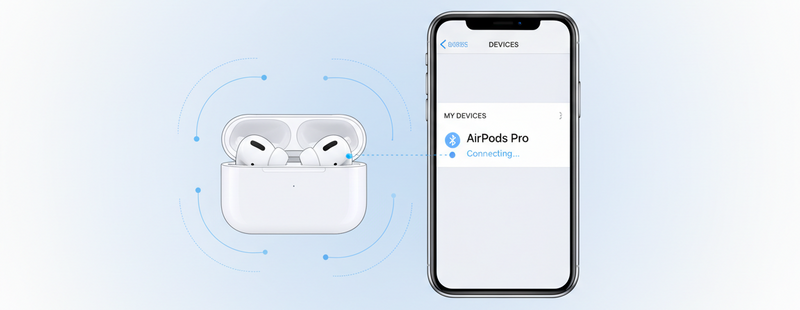
- Reconnect them to your iPhone
This refreshes the connection and resolves minor glitches.

Reset the AirPods
If the problem continues, resetting the AirPods is an effective solution.
Steps:
- Place both AirPods in the case
- Press and hold the setup button
- Wait for the light to flash amber and white
- Reconnect the AirPods
Resetting helps resolve pairing and syncing issues.

Check for Mismatched AirPods
If you recently replaced one AirPod, the issue could be due to different generations or mismatched models.
AirPods must be from the same generation to work together.
Internal Link
Page: https://swapex.in/blogs/news/mismatched-airpods-what-does-it-mean
Anchor text: mismatched airpods meaning
When You May Need a Replacement
If none of the steps work, the issue could be due to:
- Hardware damage
- Battery failure in one AirPod
- Internal connectivity issues
In such cases, replacing the faulty AirPod is often the best solution.
Conclusion
If only one AirPod is connecting, the issue is usually caused by battery imbalance, dirt, or connection problems. Checking battery levels, cleaning the AirPods, reconnecting, and resetting them can fix most issues.
If the problem persists, replacing the faulty AirPod can restore full functionality.
Facing AirPods connection issues?
Explore genuine replacement AirPods and accessories at Swapex.
FAQs
Why is only one AirPod connecting?
This usually happens due to low battery, connection issues, or mismatched AirPods.
How do I fix one AirPod not connecting?
Check battery levels, clean the AirPods, reconnect them, and reset if needed.
Can mismatched AirPods cause connection issues?
Yes, AirPods from different generations cannot work together.
Does cleaning help fix AirPods issues?
Yes, cleaning ensures proper charging and connectivity.
When should I replace an AirPod?
If troubleshooting doesn’t work, replacement may be required.