


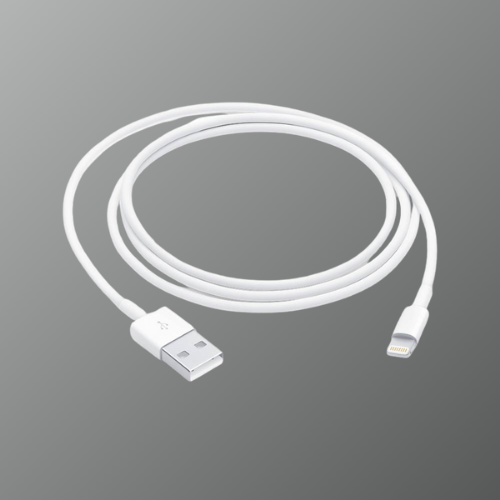
Original Apple Lightning Charging Cable (USB-A to Lightning)
Original Apple Lightning Charging Cable (USB-A to Lightning)
Couldn't load pickup availability
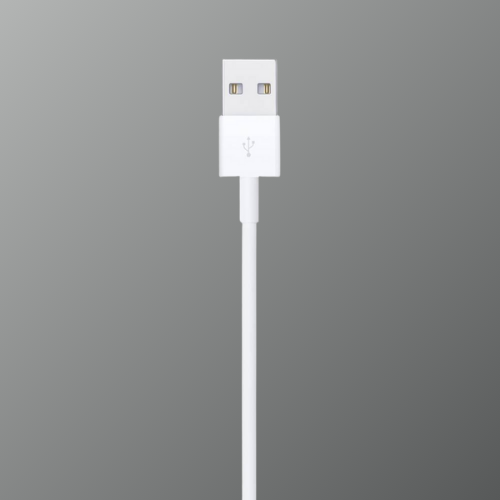
Lightning to USB cable designed for fast charging and data transfer.
Included: 1m Lightning to USB Cable
Model/Compatibility: USB‑A to Lightning devices
Condition: Brand New
 Free Shipping
 Easy Exchange


 100% Genuine
 Tested
 Sanitized


Shipping
Shipping
Exchange
Exchange

Blog posts
View all-

How to Connect a New Replacement AirPod
Losing or damaging one AirPod is more common than most people think. The good news is that Apple allows users to replace a single AirPod instead of buying a completely new...
How to Connect a New Replacement AirPod
Losing or damaging one AirPod is more common than most people think. The good news is that Apple allows users to replace a single AirPod instead of buying a completely new...
-

How to Check AirPods Pro Serial Number
The serial number of your AirPods Pro helps verify authenticity, check warranty status, and identify the exact model you own.
How to Check AirPods Pro Serial Number
The serial number of your AirPods Pro helps verify authenticity, check warranty status, and identify the exact model you own.
-

Buy AirPods Replacement (All Generations): What...
Losing or damaging one AirPod is common, but the good news is that you don’t always need to replace the entire set. Apple allows users to replace a single AirPod or...
Buy AirPods Replacement (All Generations): What...
Losing or damaging one AirPod is common, but the good news is that you don’t always need to replace the entire set. Apple allows users to replace a single AirPod or...


Effortlessly connect old with new
-

STEP 1
Put both AirPods in the charging case andConnect the case to a power source,Close the lid and wait 20 minutes.
-

STEP 2
Open the lid. When the status lightWhite flashes,Close the lid of the case again and continue with step 4. Otherwise continue with the next step.
-

STEP 3
Leave the lid open andhold down the setup button on the back for 15 seconds,until the status indicator first flashes yellow and then white.
-

STEP 4
Before you tap the interior animation, go toSettings> Bluetooth> ⓘ (your AirPods)> Ignore deviceandconfirmIf the AirPods are not visible there, continue with the next step.
-

STEP 5
Tap in the furnishing animation. Connect And then to ready. The AirPods are now ready for use.
-

Problems setting up?
No problem. Our support can be reached by email at any time and will help you. If you continue to have problems pairing, your Authenticity guarantee And we will pay you the return shipping.


-
Only Brand-New products are eligible for return within 3 working days of delivery if unused and in original packaging. Pre-Owned products cannot be returned but may be exchanged for eligible issues within the warranty period.
-
Orders are delivered within 2–3 business days in major cities and 3–5 business days in towns and villages after shipment. Delivery timelines may vary due to weather conditions, public holidays, or courier delays.
-
You can contact Swapex support via phone at 07053754680 for returns, cancellations, or general queries. Our team is available through official support channels to assist you promptly.
-

100% Authentic
Thoroughly tested and ready to pair
-

Sustainable
Responsibly sourced and sanitised
-

Fast & Free Shipping
Shipped within 48 hours via express shipping
-

Full 90 Days Warranty
Applicable on brand new products


