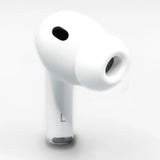
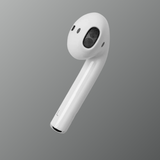
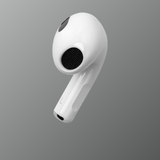
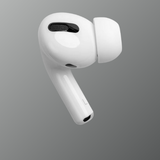




AirPods Compatibility Guide: Which Devices Work With Your AirPods?

AirPods Compatibility Guide: Which Devices Work With Your AirPods?
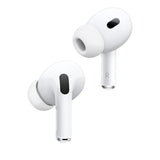
Apple AirPods are designed to work seamlessly within the Apple ecosystem, but many users wonder which devices actually support different AirPods models. Whether you own AirPods, AirPods Pro, or AirPods Max, understanding compatibility helps ensure you get the best experience with features like automatic switching, spatial audio, and noise cancellation.
In this guide, we explain which devices work with AirPods, what features require specific Apple software versions, and how compatibility differs between Apple and non-Apple devices.
AirPods and Apple Ecosystem Compatibility
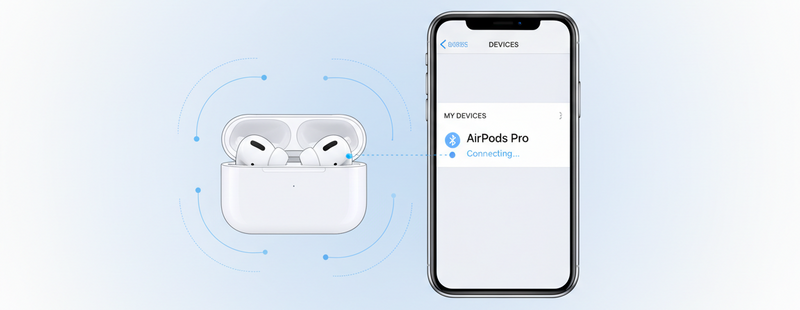
AirPods are primarily built for Apple devices. When connected to an iPhone, iPad, Mac, or Apple Watch, they provide the best experience with features like:
- Instant pairing
- Automatic device switching
- Siri voice control
- Spatial audio support
- Battery status display
Most modern Apple devices support AirPods, but certain features depend on iOS, iPadOS, macOS, or watchOS versions.
Apple Official AirPods Support

AirPods Compatibility With iPhone
AirPods work with most recent iPhone models, but advanced features may require newer iOS versions.
Generally, AirPods support begins from:
- iPhone models running iOS 10 or later
- AirPods Pro features requiring newer iOS updates
Examples of compatible devices include:
- iPhone 8
- iPhone X
- iPhone 11
- iPhone 12
- iPhone 13
- iPhone 14
- iPhone 15 series
Newer AirPods models may require updated software for full functionality such as spatial audio or adaptive transparency.
Shop genuine Apple AirPods at Swapex
AirPods Compatibility With iPad
AirPods also work smoothly with iPads running modern versions of iPadOS. Similar to iPhones, iPads support automatic pairing when logged into the same Apple ID.
Compatible devices generally include:
- iPad Pro models
- iPad Air models
- iPad mini
- Standard iPad generations
With supported iPad models, users can enjoy:
- Spatial audio while watching movies
- Seamless device switching
- Easy Bluetooth pairing

AirPods Compatibility With Mac
AirPods also connect easily with Mac computers via Bluetooth. When using the same Apple ID across devices, AirPods can switch automatically between your Mac and iPhone.
Compatible Mac devices include:
- MacBook Air
- MacBook Pro
- iMac
- Mac mini
- Mac Studio
Certain features such as spatial audio and automatic switching require newer macOS versions.
AirPods Compatibility With Apple Watch
AirPods are commonly used with Apple Watch for workouts, calls, and music streaming.
Once paired with your iPhone, AirPods can also work with Apple Watch models such as:
- Apple Watch Series 3 and later
- Apple Watch SE
- Apple Watch Ultra
This allows users to listen to music directly from their watch during activities like running or exercising.

Yes, AirPods can connect to Android phones or other Bluetooth devices. However, some Apple-exclusive features will not be available.
When using AirPods with Android, you may lose features such as:
- Automatic device switching
- Siri voice commands
- Spatial audio personalization
- Battery level pop-up notifications
Despite these limitations, AirPods still function well as standard Bluetooth wireless earbuds for music and calls.
AirPods Features That Depend on Software Updates
Some AirPods features require updated operating systems to function properly.
These features include:
- Spatial Audio
- Adaptive Transparency
- Automatic device switching
- Personalized spatial audio
- Precision Find My tracking
Keeping your Apple devices updated ensures you receive the full AirPods experience.
Apple AirPods Software Updates
Conclusion
AirPods are designed to deliver the best performance within the Apple ecosystem, working smoothly with devices like iPhone, iPad, Mac, and Apple Watch. While they can also connect to Android phones and other Bluetooth devices, some advanced Apple features may not be available.
Understanding device compatibility helps you choose the right AirPods model and ensures you can enjoy all the features Apple designed for them.
Looking for genuine Apple AirPods or replacement AirPods?
Explore trusted Apple products at Swapex and upgrade your listening experience today.
FAQs
Do AirPods work with all iPhones?
AirPods work with most iPhones running iOS 10 or later, but advanced features may require newer iOS versions.
Can AirPods connect to Android phones?
Yes, AirPods can connect via Bluetooth, but some Apple-specific features will not work.
Do AirPods work with Mac computers?
Yes, AirPods connect easily with Macs through Bluetooth and support automatic switching with compatible macOS versions.
Can I use AirPods with Apple Watch without an iPhone?
Yes, after initial setup, AirPods can play music directly from Apple Watch.
Do AirPods work with Windows laptops?
Yes, AirPods can connect via Bluetooth like regular wireless headphones, but Apple-exclusive features will not be available.